Read the paper
Spot the gaps, hazards and moving parts before Blip reaches them.

Draw Ahead for iPhone
A tactile physics puzzle about momentum, imagination and finding your own way forward.
Simple by design
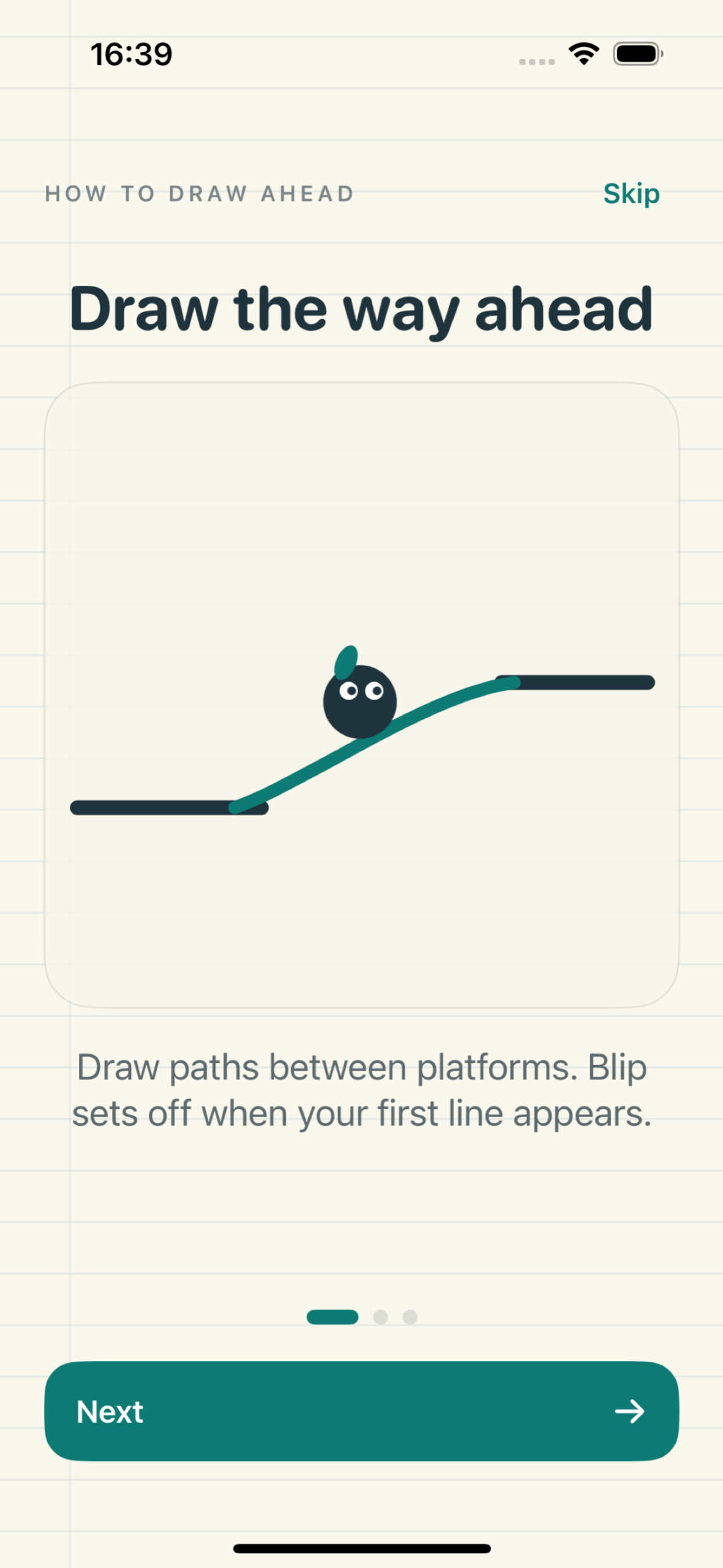
Blip moves on his own. Your job is to draw the roads, ramps and bridges that carry him safely to the next door.
Spot the gaps, hazards and moving parts before Blip reaches them.
Sketch directly onto the level. Every mark becomes a physical surface.
Return to use less ink, find a faster route or reach the mastery target.
A journey across paper
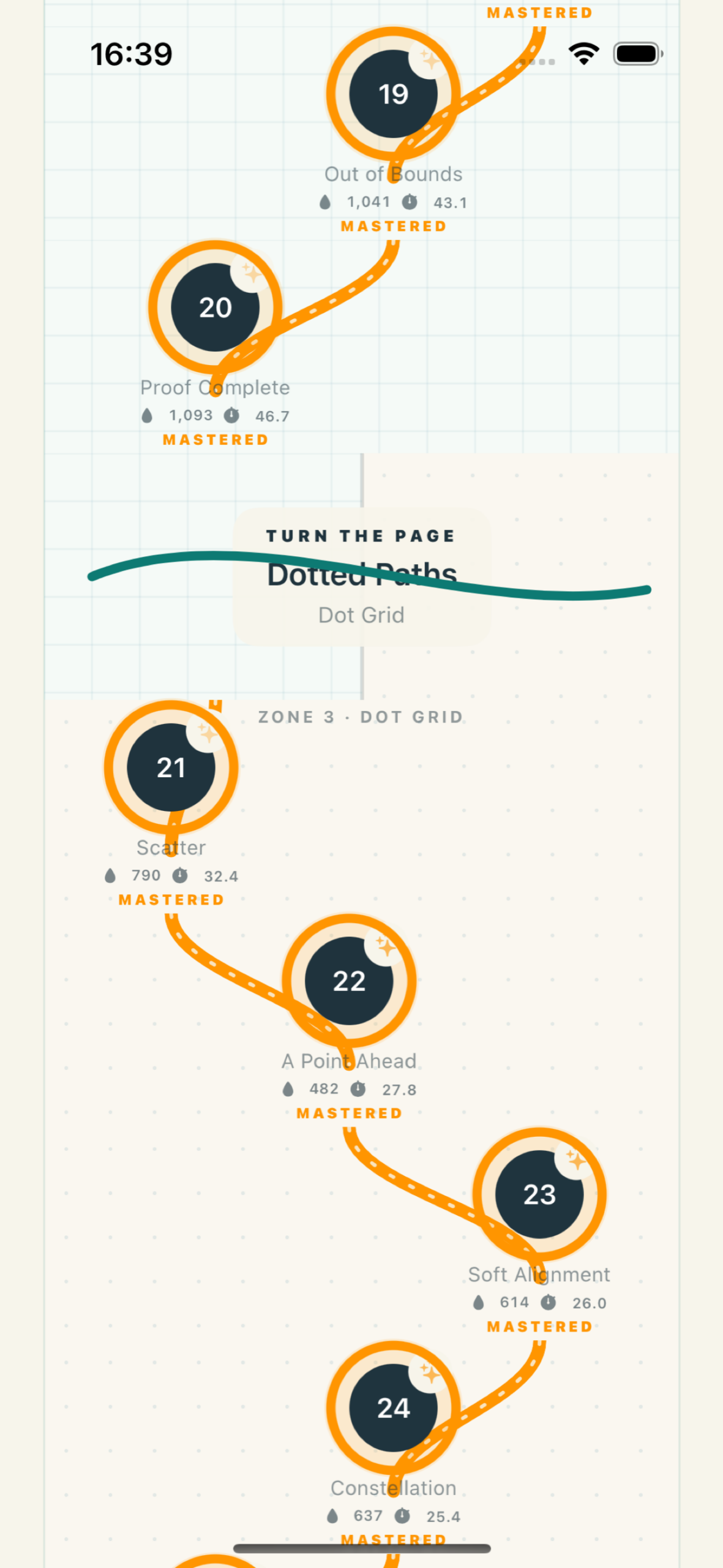
The journey moves through fifteen paper styles and gradually combines a growing vocabulary of physical ideas.
Find a way, then find a better one
Every standard run can set two personal records: least ink and fastest time. Mastery is optional, and additional help is always available when progress matters more than records.
Your journey stays yours
Draw Ahead stores progress, settings and personal replay records locally on your device. Nuifish does not monitor how you play.
Privacy
Effective date: 2 October 2026
Draw Ahead is an iPhone game developed by Nuifish Limited. This policy explains how information is handled when you use the app.
Draw Ahead does not require an account and does not ask you to provide personal information to Nuifish.
The app stores gameplay progress, completion status, settings, purchase entitlement state and personal replay records locally on your device. Nuifish does not operate an online account or cloud service containing this information. Your device's operating-system backup facilities may include locally stored application information, depending on your Apple backup settings.
The optional Full Journey purchase is provided through Apple's App Store and StoreKit services. Nuifish does not receive or store your payment-card details. Apple may process account, purchase and transaction information according to Apple's Privacy Policy.
You may choose to export a short replay video using the iOS share sheet. Sharing is initiated and controlled by you. The video is sent only to the person, application or storage destination you select. Once shared, the receiving application or service controls that copy according to its own privacy practices.
Draw Ahead does not include third-party analytics, advertising networks or cross-app tracking. Nuifish does not collect gameplay activity or use it to profile you.
Locally stored progress, settings and replay records remain on your device until the app's data is cleared or the app is removed, subject to copies retained through Apple device backups. Videos you previously exported must be deleted separately from the application or service where you saved or shared them.
Draw Ahead does not knowingly collect personal information from anyone, including children.
This policy may be updated if Draw Ahead's functionality or data practices change. The revised version will be published on this page with an updated effective date.
Questions about Draw Ahead or this Privacy Policy can be sent to info@nuifish.com.
Support
These answers cover the most common questions. If you still need help, tell us which iPhone and iOS version you use, what happened and what you expected.
Open Settings from the main screen, choose “Unlock Full Journey”, then tap “Restore purchases”. Make sure the device is signed into the Apple Account that made the original purchase.
Your attempt continues. Any line already drawn remains in place, and Blip keeps moving. On levels containing a plus-marked ink well, touch the well to refill the ink meter.
Additional Help adds carefully placed ink wells to make a line easier. Completing that version still unlocks the next line, while least-ink, fastest-time and mastery records remain reserved for the standard layout.
Tap the light-bulb button on a line. It shows one successful approach, including the ink used and completion time. It is inspiration rather than the only solution.
Progress, settings and personal replay records are stored locally on your device. Draw Ahead has no Nuifish account or cloud sync. A Full Journey purchase can be restored through Apple, but locally stored level progress may not move to another device.
Open one of your personal record replays and choose Share. Draw Ahead prepares a short video of the finish, then presents the iOS share sheet so you choose where it goes.
Yes. Open Settings to control sound, haptics and Gentle Motion independently.
Ready to make your first mark?
Begin the journey for free on iPhone.
Download on the App StoreDraw Ahead is developed by Nuifish Limited. Apple, App Store and iPhone are trademarks of Apple Inc.